
Field notes / 1 minute read
From the Paper Kid Games studio
Why our games run in a browser
No app store, nothing to install, and the iPad you already have. Here is why every Paper Kid game is a web page.
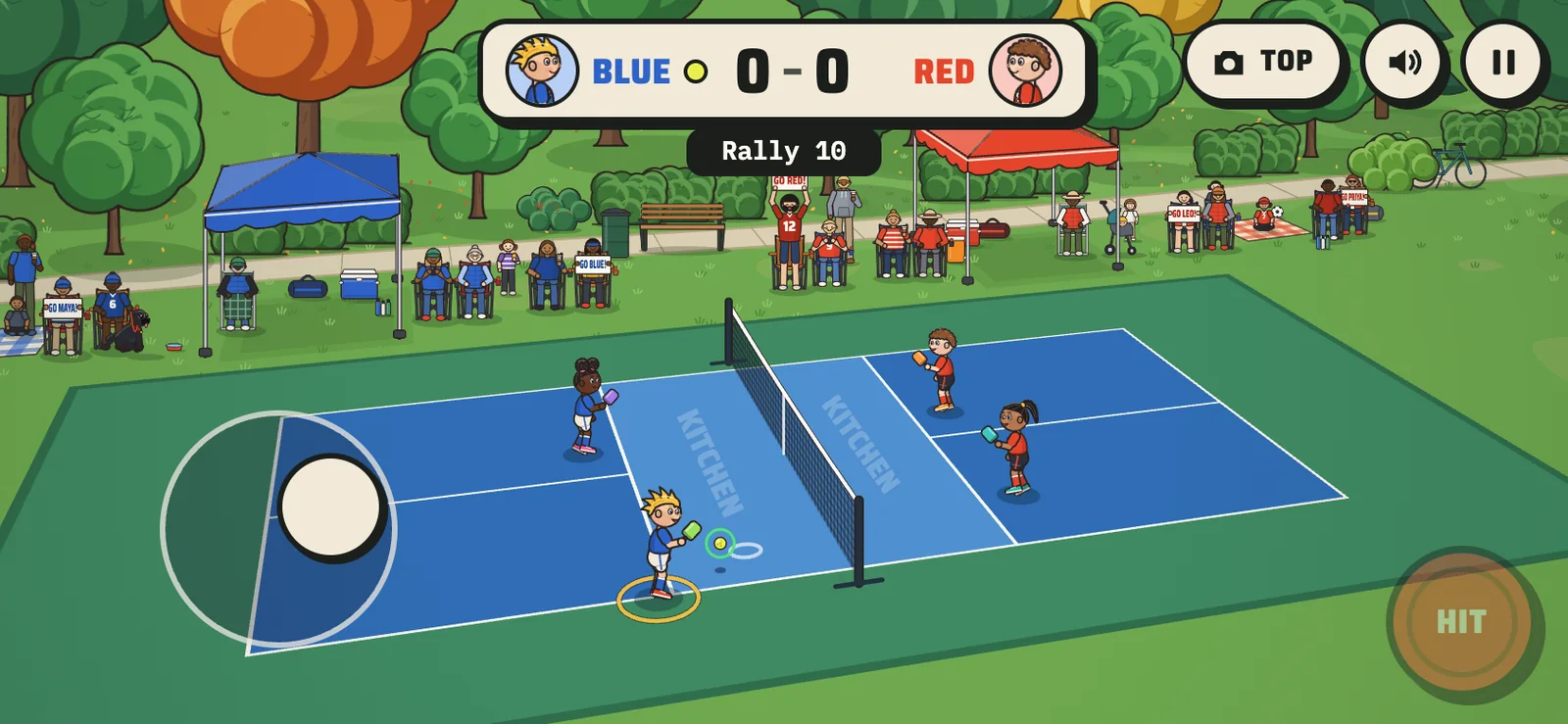
Every game we make opens from a link. There is no app to download, no store listing to wait on and no account to create. It runs on the family tablet, on a phone held sideways and on a laptop with a keyboard. Try one now.
New versions need no app store
Because the game is a web page, a new version ships the moment it's ready. When Soccer Kids got its iPad touch controls, they went out the same day, with no update to approve and nothing for a parent to install.
Each update is published under file names made from the files' contents, so a browser can never mix an old file with a new one and load a game that's half one version and half the other.
Built for touch
Touch is where kids play, so it's where we test. Every game is checked with real touch events at phone and iPad sizes before anything ships. iOS can claim a touch at the edge of the screen for its own swipe, so in our games any new touch on the left side takes the thumb stick, and pinch and double-tap zoom are blocked so a fast thumb never zooms the page.
Easy to share, easy to keep private
A link is easy to send to grandparents, teammates or a whole roster. It can live at a private address only your family knows, or on your own web address if you want one. Either way there are no ads, nothing to buy and nobody to chat with inside the game.