
Field notes / 2 minute read
From the Paper Kid Games studio
Teaching soccer restarts with a coach who waits
Throw-ins, goal kicks and corners confuse almost every new player. Here is how Learn mode in Soccer Kids teaches them, one restart at a time.
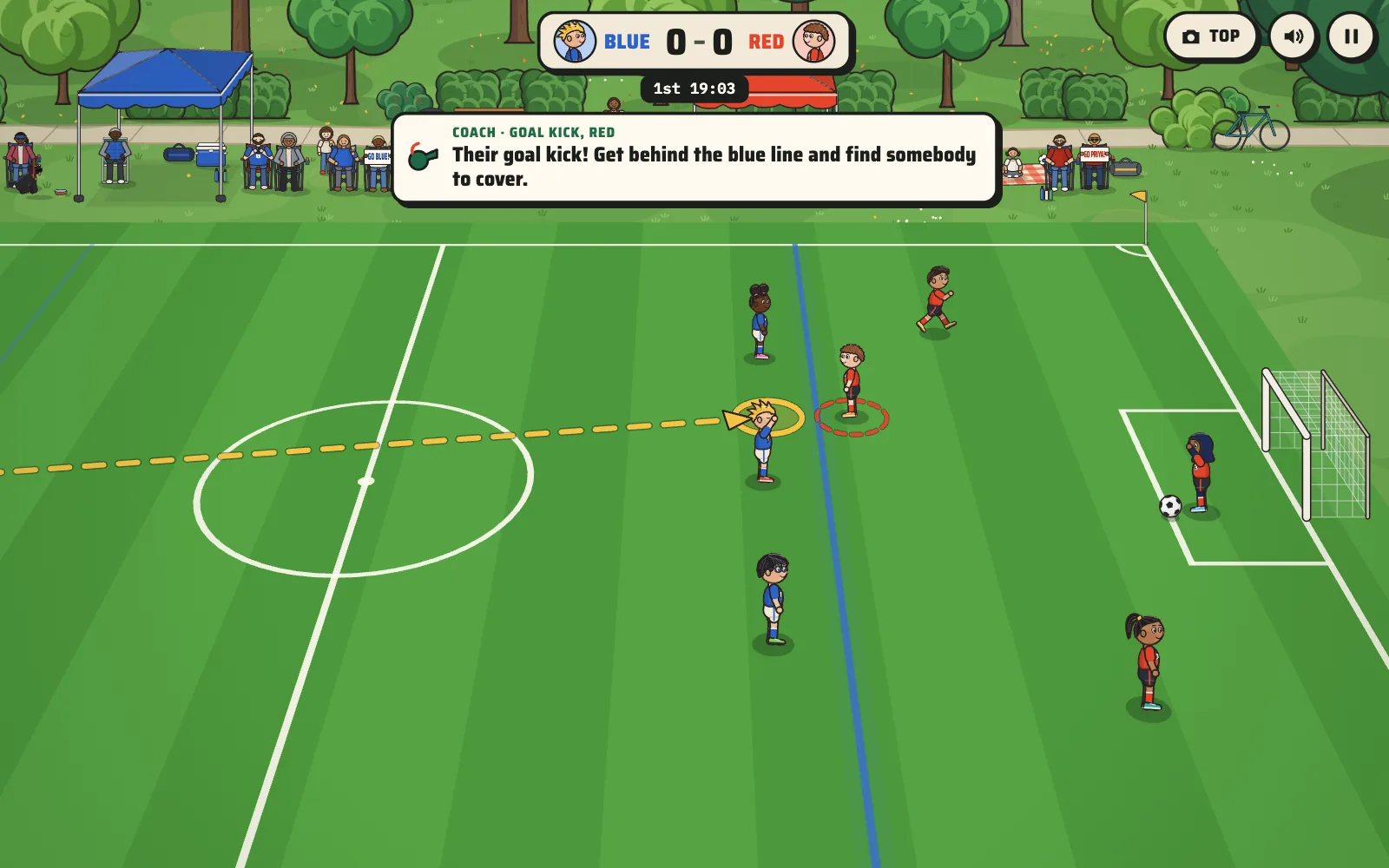
Ask a six-year-old where to stand when the other team has a goal kick and you'll usually get a shrug. It's not their fault. The restarts are the part of youth soccer that nobody explains well, because they happen fast and then the game moves on.
Soccer Kids has a Learn mode built for exactly that moment. It has thirteen lessons, and each one is about a single thing a young player has to do on the field.
The game waits for the kid
In Learn mode the other team doesn't take its throw-in, corner or goal kick until your kid reaches the marked ring on the field. A coach voice explains what to do while the play holds, for up to fifteen seconds. When your kid gets there, the restart happens and they get to see why the spot mattered.
While the play holds, control stays on your kid, the player they should cover stays put, and their teammates leave that player alone.
A pace a new player can follow
Learn mode runs every kid at 80 percent speed, so a player who is new to the game has time to think, and the coach speaks one line at a time so every instruction lands.
The coach is also a different, friendlier voice from the announcer, so a kid always knows who is teaching and who is just calling the game.
Any program's rules can become a lesson
Learn mode is a set of lesson scripts sitting on top of the match, so a program's own rules can become lessons too: a build-out line, no slide tackles, a defender who always takes the throw-in. That's what our Team Edition does for a sport we've built, and Custom Sport does for one we haven't: a game that teaches the way your league actually plays.