
Start from a game that already worked
The Sports Arena already had a camera, a ball, sound and Ziggy's drawings, so Soccer Kids started with a field that worked and kids who could already run.
Case study
Real youth soccer, with a coach who waits for your kid
A four-on-four park soccer game that teaches restarts and positions while kids play. It's built on the Sports Arena engine, and its Learn mode, touch controls and three levels took shape over six rounds of play-testing on an iPad at home.
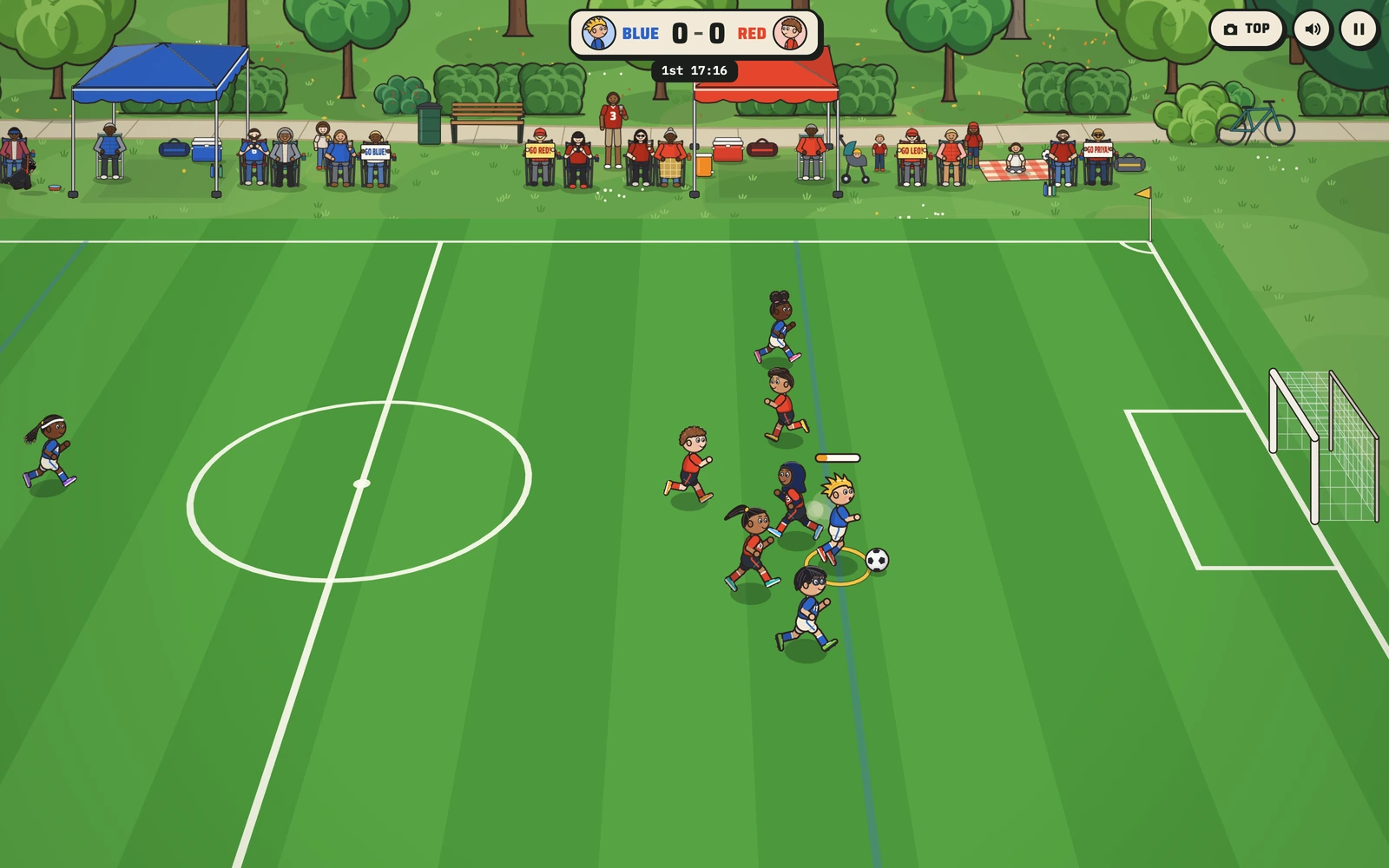
Ziggy's family wanted a soccer game that plays like real youth soccer: outdoors, small goals, no goalies, four a side with one defender, and the restarts every new player has to learn, the throw-ins, corners and goal kicks. The kids should be a mix of seven-year-olds drawn in Ziggy's style, Red against Blue, with no slide tackles, and it had to work on a phone.
Before any code, the brief became twelve questions, from who controls which kid to how long a half lasts. Ziggy's dad answered each one and chose the simpler option for a young player every time.
The Sports Arena already had a camera, a ball, sound and Ziggy's drawings, so Soccer Kids started with a field that worked and kids who could already run.
The game hands you the kid closest to the ball by itself. A young player runs one kid at a time and never has to switch players by hand.
On Easy they all chase the ball, just like a real game of six-year-olds. On Hard they hold their spots and pass. Medium is in between.
Each team has a defender who takes every throw-in and goal kick and then gets back, the habit coaches spend a whole season teaching.
Families sit in folding chairs under their team's tent holding signs for their kids, and Pam the pug watches on her leash. Halftime is a water break.
Each round started with the family playing the latest build and asking for what came next, and our team built it. Words in quotation marks are the family's own, as recorded in the build notes.
The ask
A box in front of each goal that anyone can play in.
What we built
It became a plain white box anyone can enter, and a faint blue build-out line went in each half: on a goal kick the other team waits behind it until the ball crosses. Sideline tips like "Cover somebody!" and an announcer arrived in the same round.
The ask
Give every kid their own speed and kick, and add a way to learn the rules.
What we built
Each kid got their own speed, kick and passing. Learn mode arrived with 13 lessons, field guides and stars, and a friendly coach voice separate from the announcer.
The ask
A Learn mode pace that a new player can follow.
What we built
Learn mode runs every kid at 80% speed, the coach speaks one line at a time, and the other team's restarts wait until your kid reaches the ring.
The ask
A thumb stick that feels natural on the family iPad.
What we built
Any new touch on the left side takes the stick, lifting every finger frees every control, and a quick double tap never zooms the page.
The ask
Quick restarts, so play keeps moving.
What we built
A throw-in now comes about 1.8 seconds after the whistle for a team's first restart of each kind and in under 1.5 seconds after that, and outside Learn mode the announcer calls the game without holding up play.
The ask
A Medium level that's a fair fight.
What we built
Medium sits squarely between Easy and Hard: the computer wins the ball a little less often and gives it away a little more. Taps pass harder, and control jumps straight to your kid nearest a pass.
A test bot plays dozens of matches to put the three levels in order, and two dials set how each one feels: how often the computer wins the ball and how often it gives it away. Easy runs at 0.55 and 0.12, Medium at 0.7 and 0.08, and Hard at 1 and 0.
While a restart waits for your kid to reach the ring, control stays on them, the player they should cover stays put, and their teammates leave that player alone. Every lesson ends with your kid doing the job.
Every announcer and coach line runs through speech-to-text before it goes into the game, so each one says exactly what it should, down to a full-length "GOOOAAAL."
Soccer Kids is plain JavaScript drawn on a canvas, with no app to install. The match itself is a simulation (rules, restarts, team tactics and the lesson scripts) that runs in Node, so whole matches can be tested without a browser. The camera can sit at the side of the field or straight overhead.
The announcer and the coach are recorded voice files, played through a small queue so they never talk over each other. The game folder carries its own copies of every shared file, so work on another game can never break it.
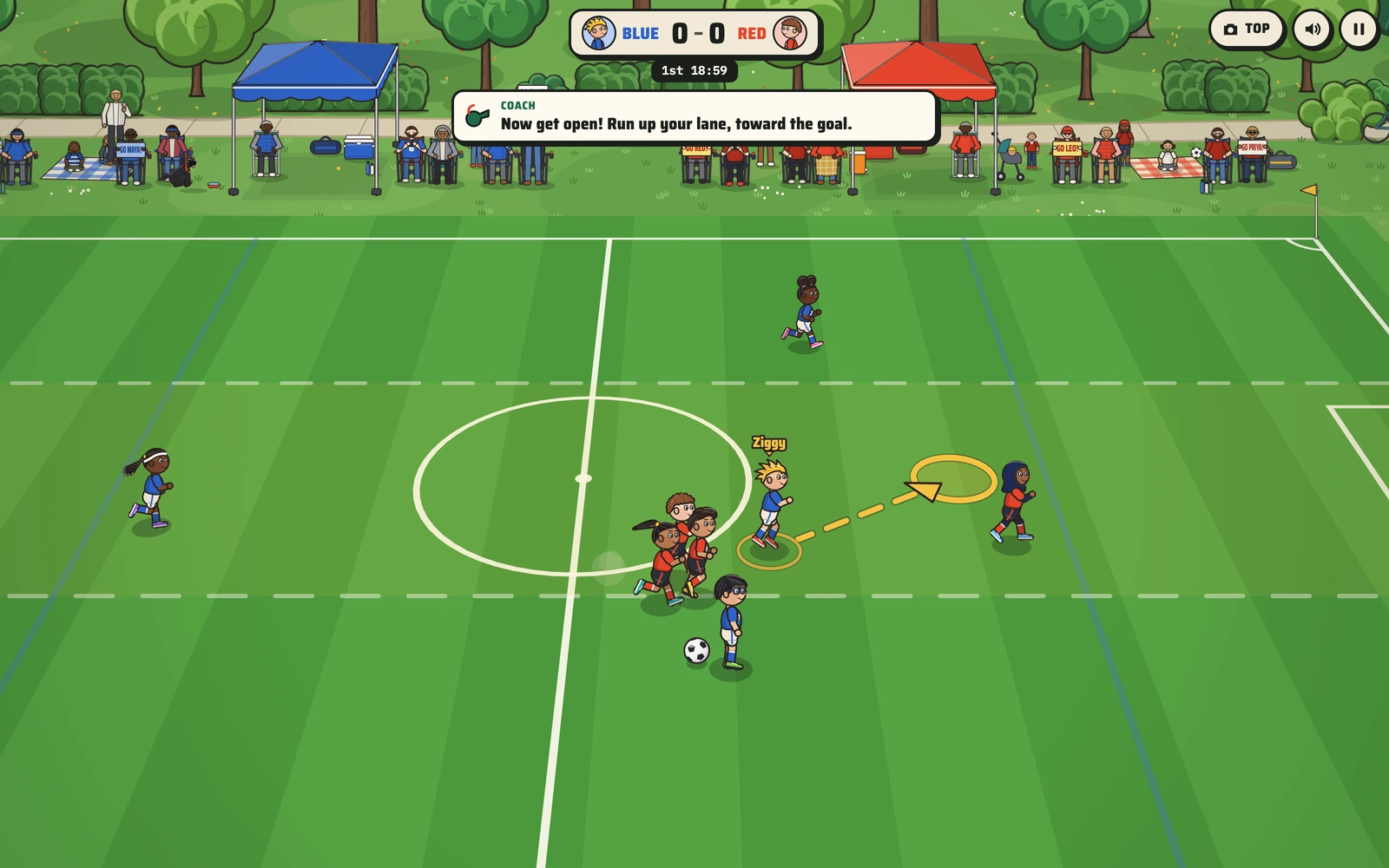
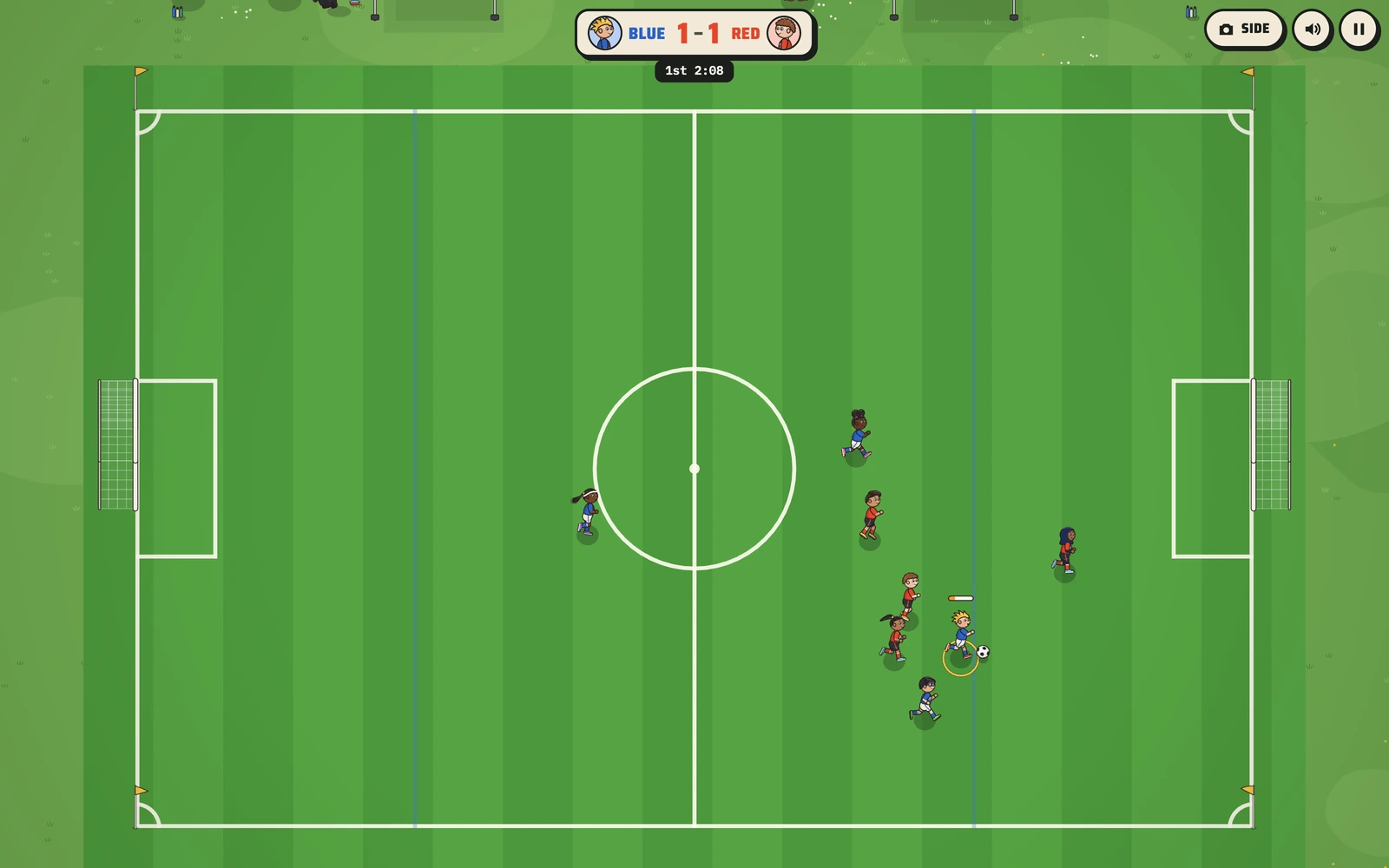
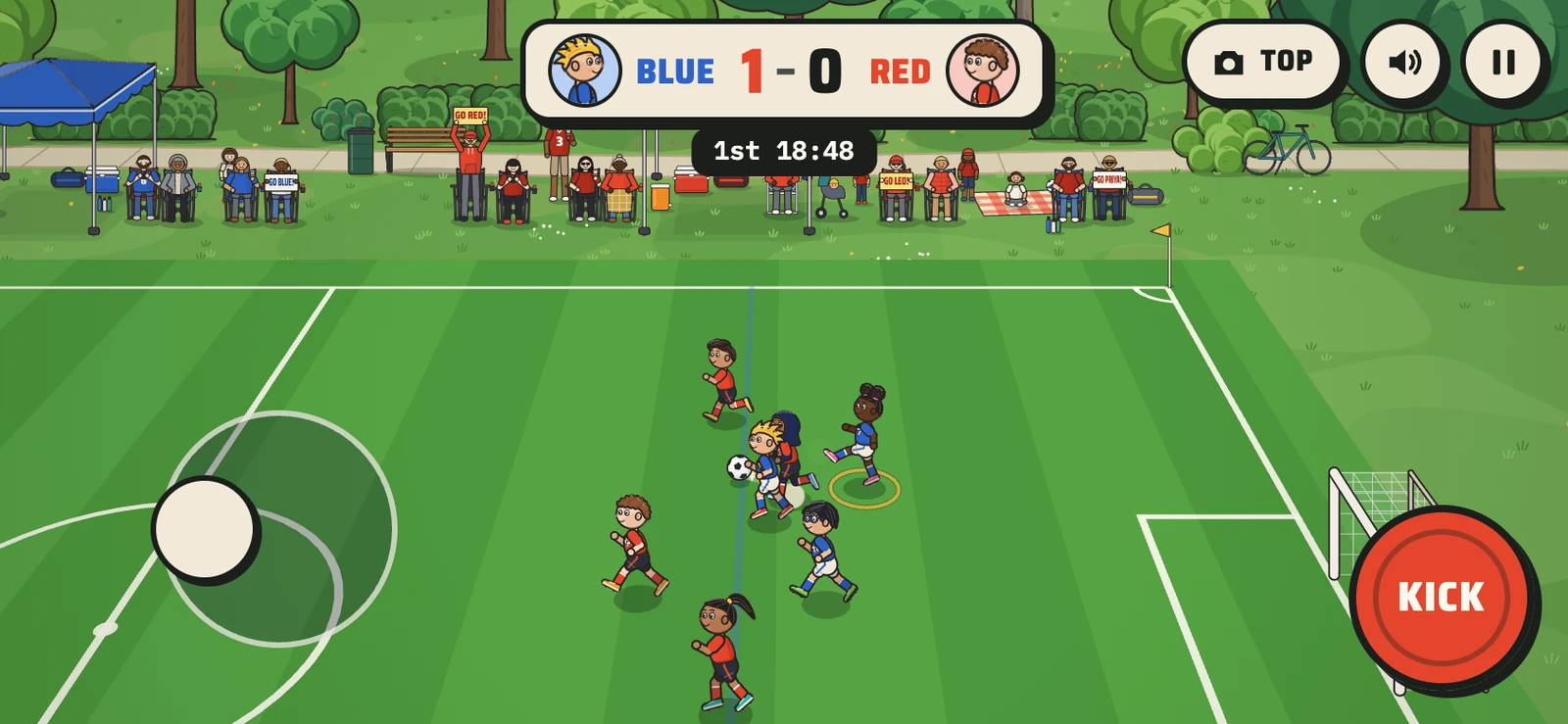
Free to play on this site and in the Ziggy Games arcade, with 13 coached lessons in Learn mode.
Easy lets a beginner win, Medium is a fair fight and Hard is a real challenge, checked with a test bot over dozens of matches.
The same engine carried Hockey Kids that week and Pickle Kids three days later.
What this means for your game
For a league or a coach, this is the template: your format, your rules turned into Learn mode lessons, your colors, and one link for every family on the roster.
We build games around one kid, one team or one school, the same way we built this one: with the people who will play it in the loop. Start with your player.